
Calendly vs YouCanBookMe: which booking link fits?
Calendly and YouCanBookMe (sometimes searched as ‘You Can Book Me’) both put a booking page on top of your calendar. The real differences are polish, customisation, and how many calendars each plan lets you connect before the price moves. Neither gives you one view of all of them.
The short answer
Calendly is the better all-rounder — more integrations, better team scheduling, and the booking experience most people already recognise. YouCanBookMe is the better choice if the booking page is a customer-facing surface you want to control down to the confirmation email, and it is the only one of the two that will connect a new Apple calendar.
On price they are closer than they look. Calendly charges per seat ($8.30/mo annual on Standard). YouCanBookMe charges per plan tier ($8.10 Individual, $11.70 Professional annual) — and what pushes you up a tier is usually not features but how many calendars you need to connect. Individual stops at two.
Which points at the thing neither one does: connecting several calendars is not the same as seeing them together. Both compute your availability from your calendars and then show you one at a time. If your week is genuinely spread across Google, Outlook, and Apple, that is the gap — and it is what BookTime was built to close.
YouCanBookMe vs Calendly: what you’re actually choosing between
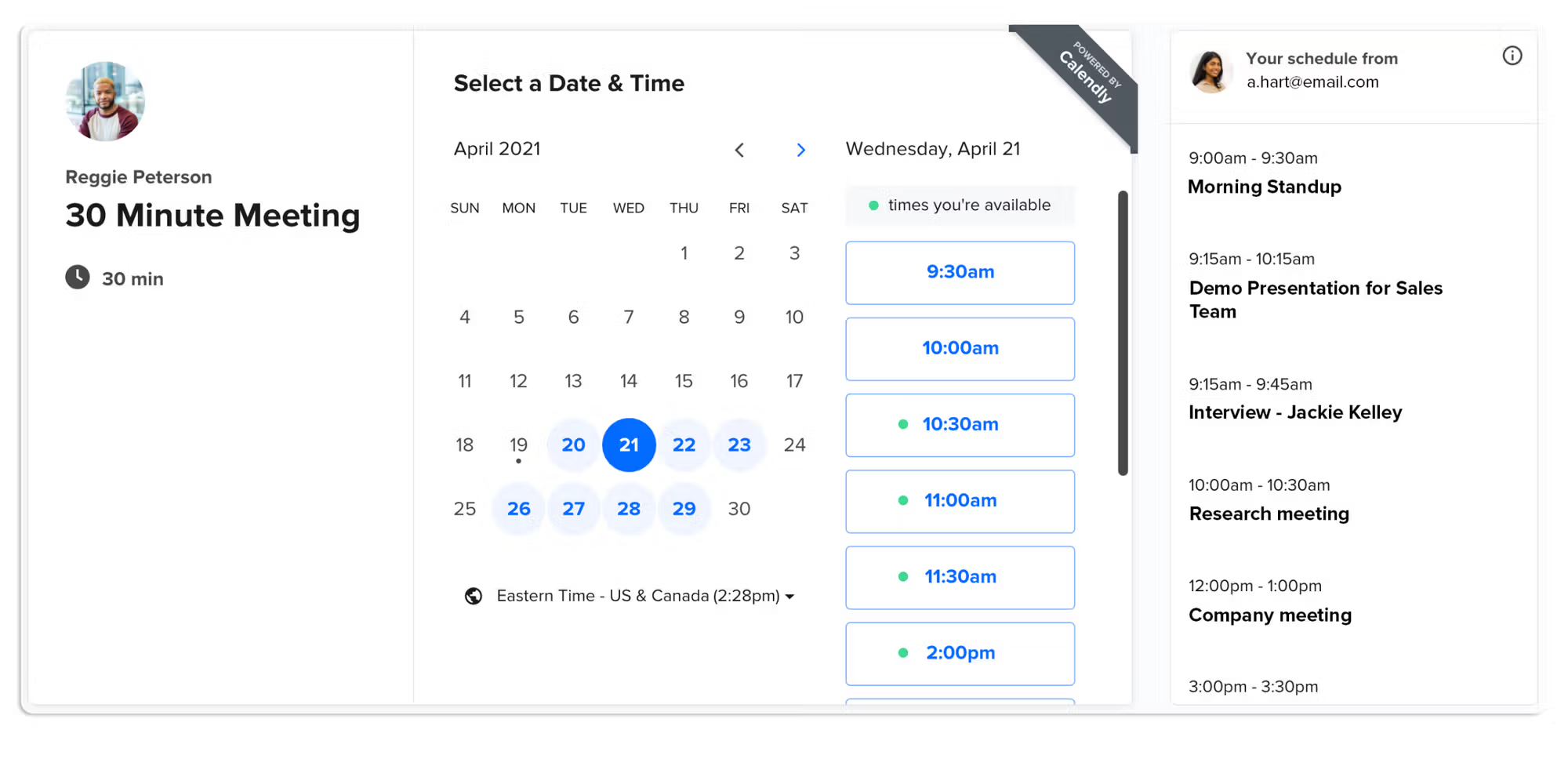
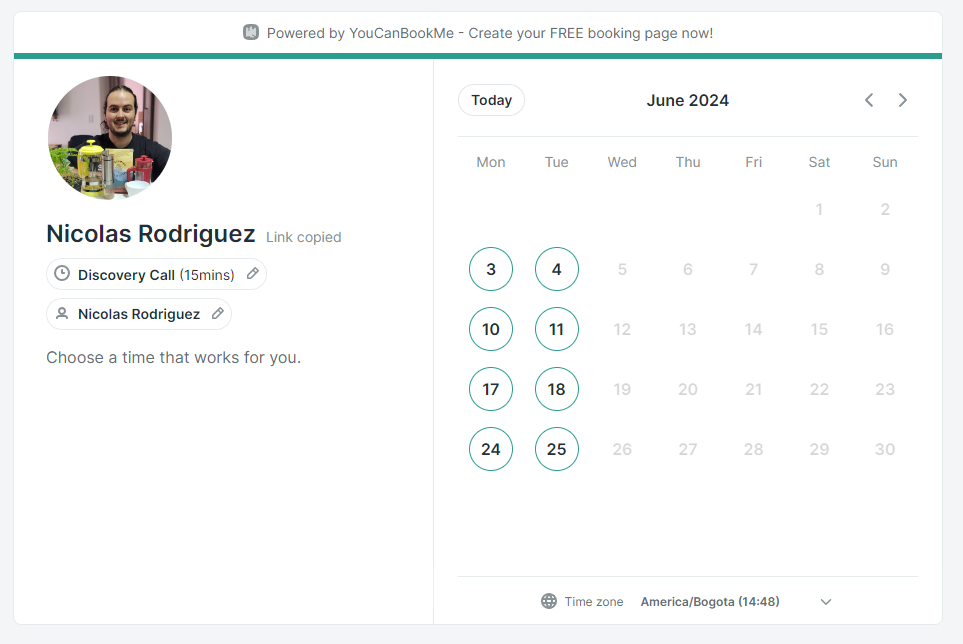
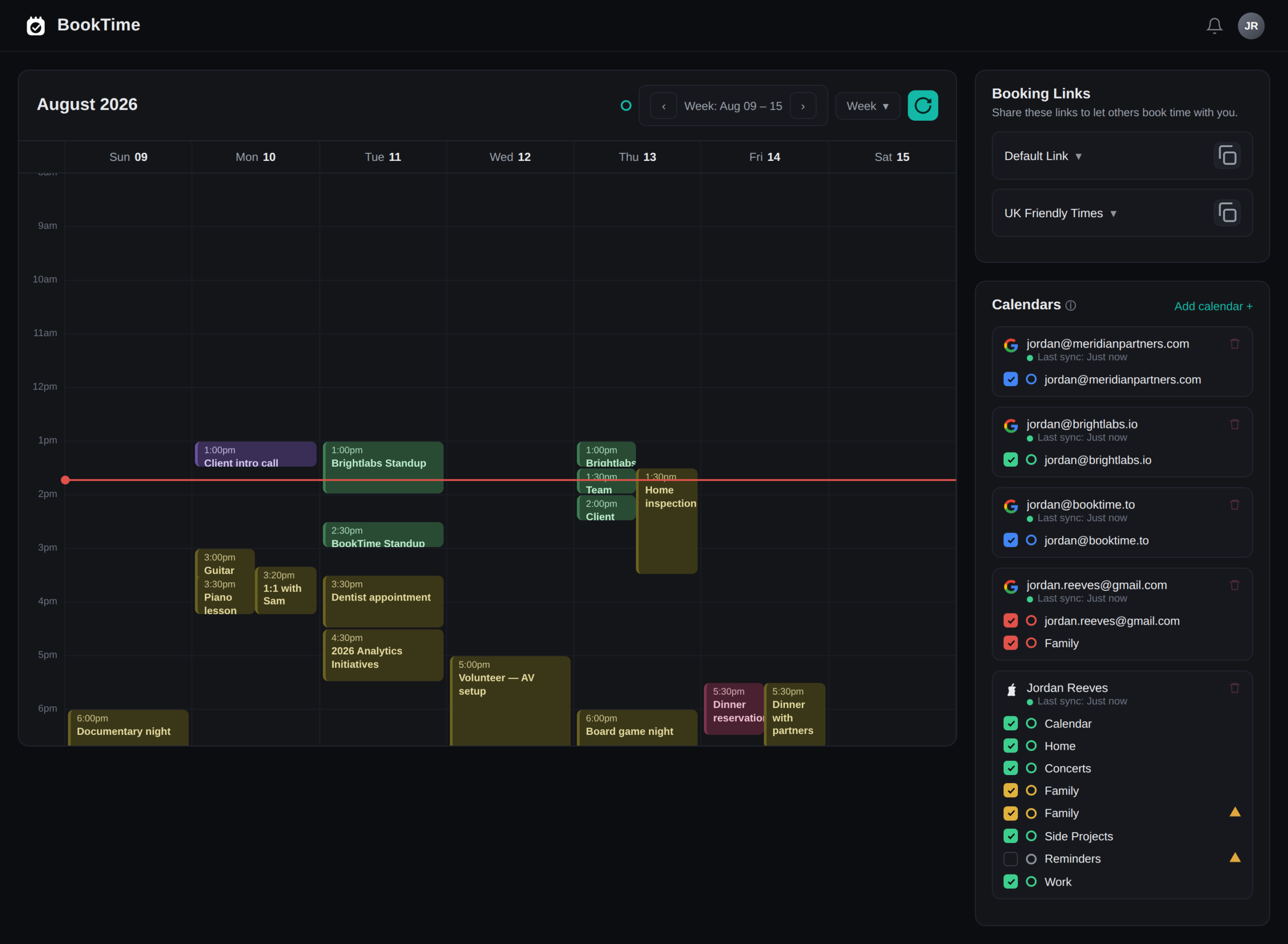
Calendly vs YouCanBookMe, honestly.
| Feature | Calendly | YouCanBookMe | BookTime |
|---|---|---|---|
| Shareable booking pages | ✓ | ✓ | ✓ |
| Google Calendar | ✓ | ✓ | ✓ |
| Outlook / Microsoft 365 | ✓ | ✓ | ✓ |
| Apple iCloud | ✱ existing only | ✓ | ✓ |
| Unified view of every calendar | — | — | ✓ |
| Calendar connections included | 1 free · 6 on Standard | 1 free · 2 Individual · 6 Professional | All of them |
| Custom branding on the page | Paid plans | ✓ deepest here · badge removal on Professional+ | Paid plans |
| Availability rules & buffers | ✓ | ✓ | ✓ |
| Take payments at booking | ✓ paid plans | ✓ Stripe | — |
| Team scheduling & round-robin | ✓ Teams, $12.80/seat | ✓ Teams, $16.20/member | — |
| Third-party app integrations | Most here — 100+ | Zapier + core apps | Fewest — calendar-first |
| Temporary / expiring links | — | — | ✓ |
| Pricing model | Per seat | Per plan tier | Flat |
| Free tier | 1 event type, 1 calendar | 1 calendar, 1 page, YCBM branding | Free during beta |
| Best for | Sales teams & integrations | Custom booking pages | Multi-calendar solos |
✱ Calendly stopped accepting new iCloud calendar connections on 20 August 2024; connections made before that date still work (Calendly Help). Prices are vendor list rates on annual billing, checked September 2026 — see Calendly pricing and YouCanBookMe pricing. YouCanBookMe’s “Powered by YouCanBookMe” badge can only be turned off on the Professional and Teams plans (YouCanBookMe Help).
So which one should you actually pick?
Calendly is better if…
- 1You need to route meetings across a team — round-robin and collective scheduling are genuinely good here, and YouCanBookMe’s team tier costs more per member.
- 2Your scheduling has to talk to HubSpot, Salesforce, or a long tail of other tools. Calendly has by far the biggest integration library of the three.
- 3You send links to people outside your world and want the most recognisable, least-explaining-required booking experience.
- 4You have one or two calendars and they are Google or Outlook. At that size Calendly’s Standard tier is the cheapest of the two paid plans.
YouCanBookMe is better if…
- 1The booking page is a brand surface. Colours, logo, copy, custom domain, and the confirmation and reminder emails are all yours to shape — this is the clearest win YouCanBookMe has.
- 2You need an Apple calendar connected. Calendly simply will not do this for a new account any more; YouCanBookMe will, along with Fastmail and CalDAV.
- 3You want the cheapest paid entry point for a single person — Individual is $8.10/month billed annually.
- 4You are one person with a lot of booking pages for different purposes, rather than a team sharing one.
Neither is ideal if… your week lives on more than one calendar.
- 1You run two or more calendars across Google, Outlook, and Apple and want to work from one view, not click between three tabs.
- 2Your double-bookings come from not seeing the whole week at once. Both tools read your calendars for availability; neither renders them together.
- 3A personal calendar and a client calendar both need protecting, but you do not want to expose either one to the other.
- 4You would rather one flat price than a tier decided by how many calendars you happened to connect.
This is the gap. Connecting several calendars and seeing several calendars are different products, and only one of them stops you being double-booked by a meeting you forgot was on the other account. That is what BookTime does →
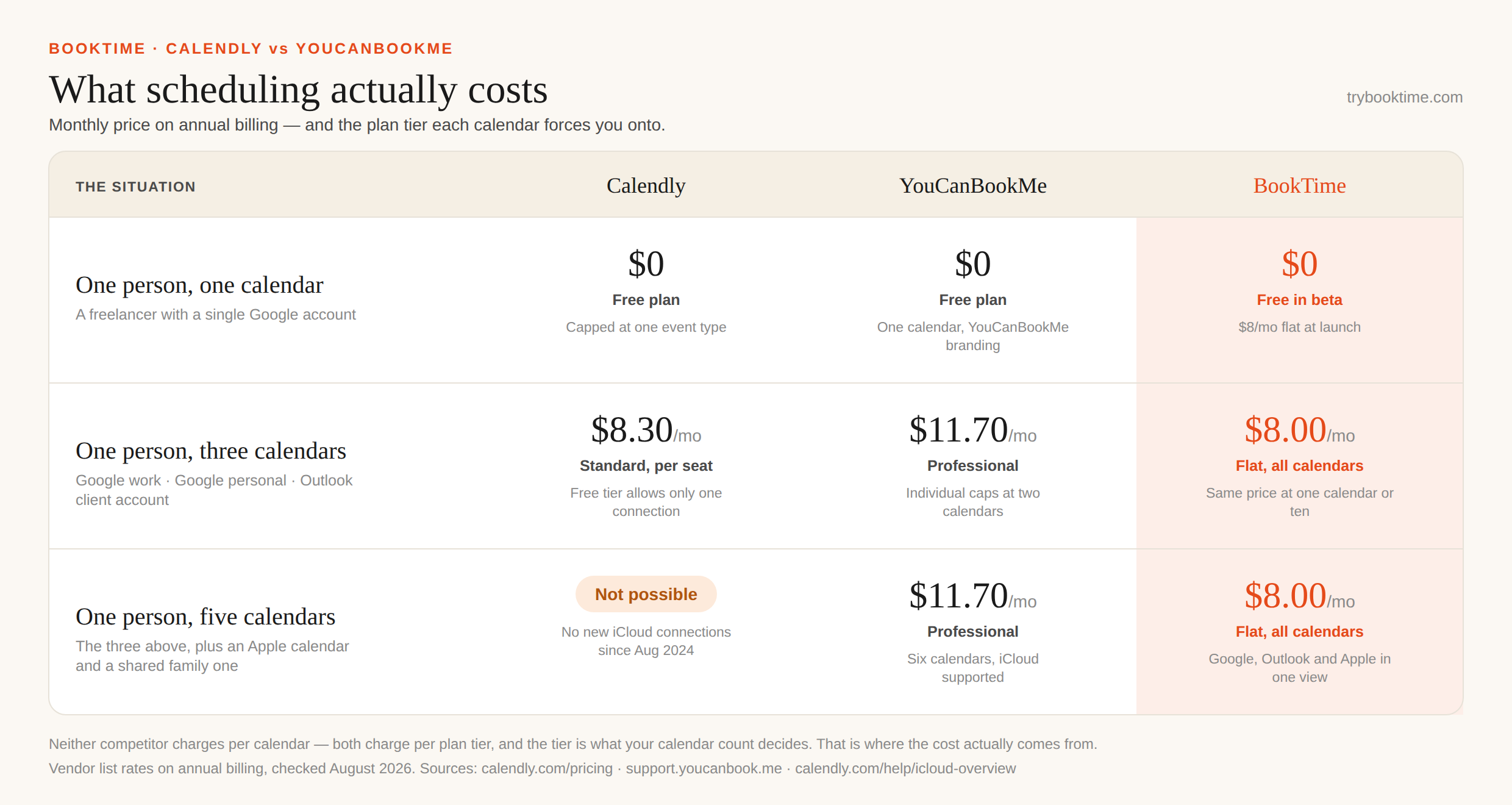
What scheduling actually costs.
“$8.30 versus $8.10” tells you almost nothing. What matters is which tier your calendars push you onto — and whether the tool can do the job at any price.
Both are booking links. BookTime is your whole week.
Calendly and YouCanBookMe put a page on top of your calendars. BookTime merges Google, Apple, and Outlook into a single conflict-aware view — with booking built in — for a flat $8/mo, whatever you connect to it.
It is not the right tool for everything. If you need round-robin routing, payments at booking, or a hundred integrations, pick one of the two above. If you need to stop being double-booked across accounts, pick this one.
Calendly vs YouCanBookMe, answered.
Both are booking-link tools that sit on top of your calendar. Calendly is the more polished all-rounder, with the biggest integration library and stronger team routing, priced per seat. YouCanBookMe focuses on booking pages you can customise deeply — colours, logo, domain, and the emails around the booking — and prices by plan tier rather than by seat.
At one calendar, marginally — YouCanBookMe Individual is $8.10/month billed annually against Calendly Standard at $8.30/seat. But Individual stops at two calendar connections, so a third calendar moves you to Professional at $11.70, while Calendly Standard includes six connections at $8.30. Calendly gets more expensive as you add people; YouCanBookMe gets more expensive as you add calendars.
No — that is a common misconception, and older comparisons still repeat it. YouCanBookMe bills by plan tier, and each tier includes a set number of calendar connections: Free one, Individual two, Professional six, and Teams six or more per member. You are not billed per calendar, but your calendar count is usually what decides your tier.
Not for new users. Calendly stopped accepting new iCloud calendar connections on 20 August 2024; accounts that connected iCloud before that date still work. YouCanBookMe connects iCloud, Fastmail, and CalDAV, and so does BookTime — so if an Apple calendar is part of your week, that alone rules Calendly out.
Both are tight in different ways. Calendly’s free plan gives you one event type and one calendar connection. YouCanBookMe’s gives you one calendar and one booking page, carrying YouCanBookMe’s own branding. If you have a single calendar and a single meeting type, either will do; the moment you have two of anything, both push you to a paid tier.
Calendly. Its Teams plan is $12.80/seat/month billed annually and includes round-robin and collective scheduling plus lead-routing forms. YouCanBookMe’s Teams plan is $16.20 per member per month billed annually. If distributing inbound meetings across several people is the job, Calendly is the stronger and cheaper choice.
No. Both connect to multiple calendars to work out when you are free, but both then show you one calendar at a time. Merging every connected calendar into a single week you can actually work from is a different feature — BookTime and Morgen are the two tools that do it. BookTime is $8/month flat; Morgen is $15/month billed annually.
Yes — BookTime. Rather than a booking link on one calendar, it merges Google, Apple, and Outlook into one conflict-aware view with booking built in, at a flat $8/month regardless of how many calendars you connect. See our BookTime vs Calendly comparison, or the full Calendly alternatives roundup.
One calendar. Booking built in.
Whichever you’re weighing up, see what a unified view across Google, Apple & Outlook feels like. Free during beta.
Get started free →